
Review the catalog and data quality
The accuracy of the search engine depends on consistent data.
Reviewed October 23, 2026 · Customer guide
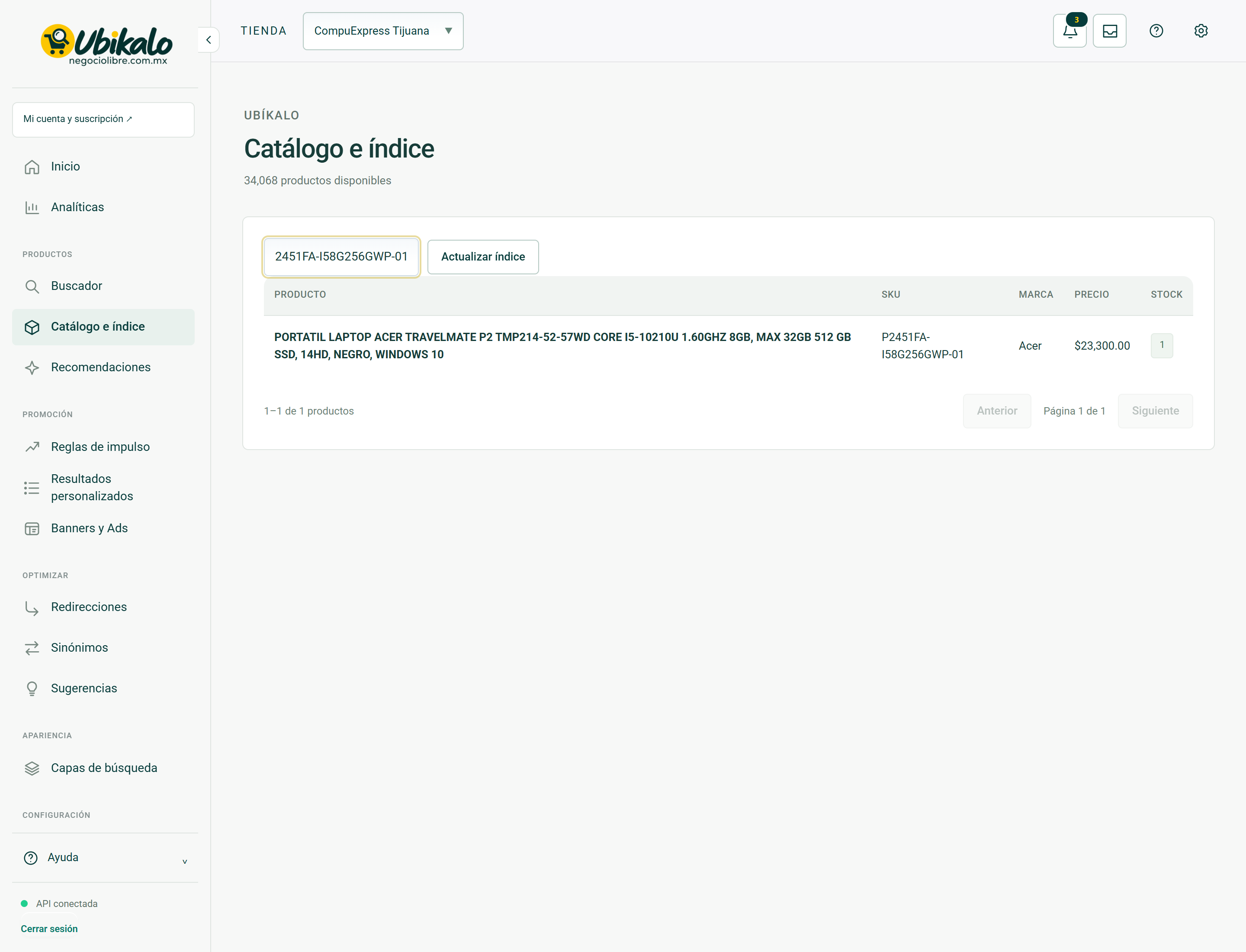
Read about this screen’s controls →
Steps
- Select the store and open Catalog and index.
- Search for a product by SKU and check name, brand, category, price, offer, stock, image and URL.
- Correct the data in the catalog source where appropriate and resynchronize.
- Repeat the search in the panel and in the public store.
Fields that help
Use stable identifiers, friendly names, and explicit attributes. Don’t mix up the actual brand with “compatible with.” Includes capabilities and specifications in the product fields; A photo alone does not provide searchable data.
Duplicates and offers
Two valid variants are not necessarily a duplicate. Before merging, compare SKUs, identifiers, and features. An offer price must represent an actual offer; Zero or empty should not be used to simulate a free product.
Data authority
The search panel should not become a contradictory second source of prices. Confirm the data in the store and check which synchronization updates it.
How to verify it worked
A sample card retains the same essential data in source, index and results.