
Custom results · controls and screen
See each Custom Results field, button, and tab, with system screenshots and explanations of their effects.
Reviewed October 23, 2026 · Customer guide
Navigation was checked and controls were checked against the panel code. Save, import, delete, and activate operations were not run on production data for this screenshot.
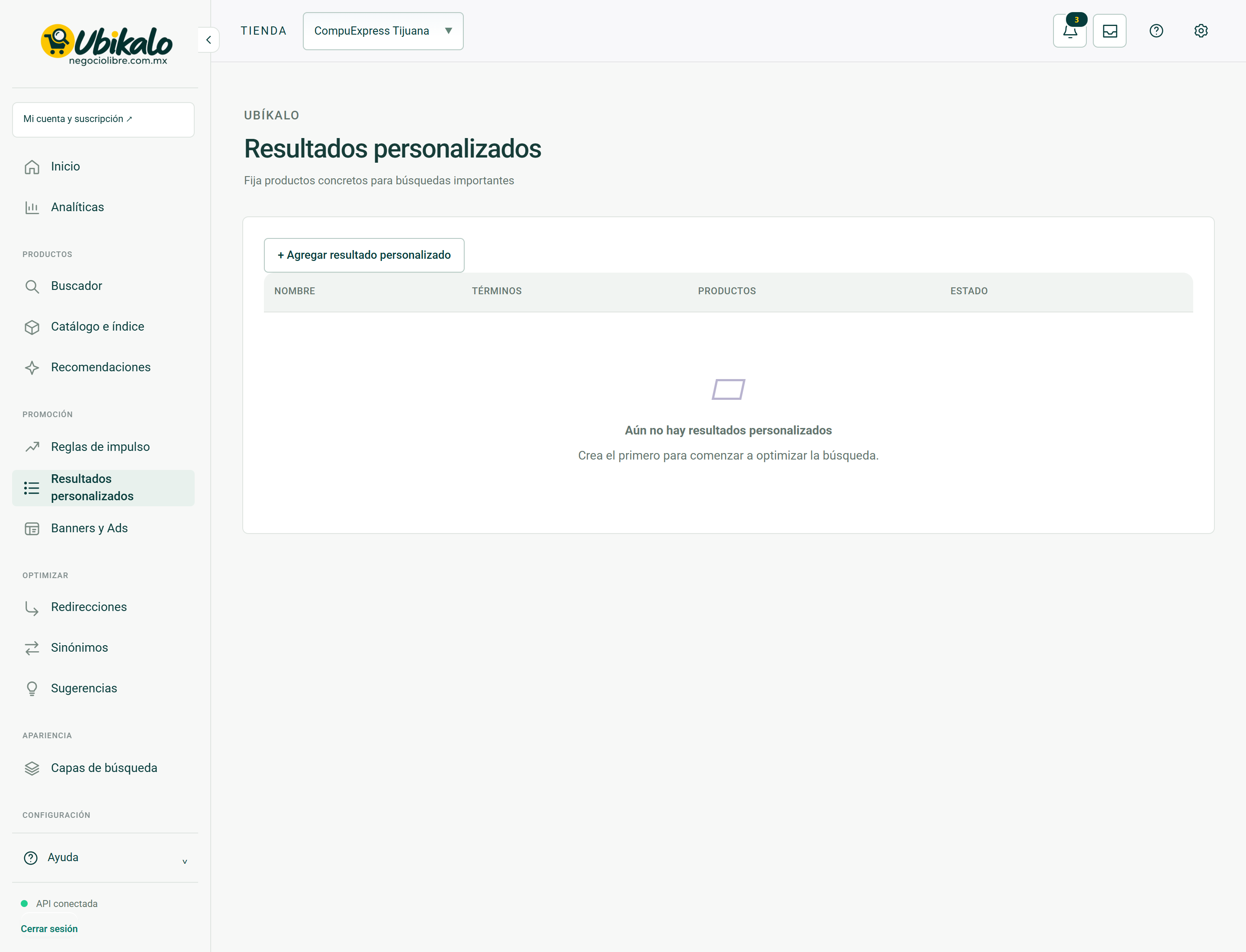
Control by control
| Control | How to use | Effect |
|---|---|---|
| 1Select storeselect | Change the store or active site. Check this selector before saving, importing, or syncing. | data entryLocated in the actual interface |
| 2Notifications: 3 unreadbutton | Opens account context notices and its unread counter. A historical warning does not confirm a current failure. | ReadingLocated in the actual interface |
| 3inboxbutton | Open the account’s messages and notifications inbox. | NavigationLocated in the actual interface |
| 4MY ACCOUNT ↗to | Open account, sites or subscription management; It is not the editor of the search engine. | NavigationLocated in the actual interface |
| 5Activate dark modebutton | Toggle the visual theme and retain the browser preference. It does not modify content or commercial data. | Local preferenceLocated in the actual interface |
| 6Open administration panelto | Open global administration; requires explicit permission from NegocioLibre. | Browsing with permissionLocated in the actual interface |
| 7+ Add custom resultsummary | Open or close the “+ Add custom result” information or form. Does not send your data. | DropdownLocated in the actual interface |
Personalized results · Forms and help 11 controls
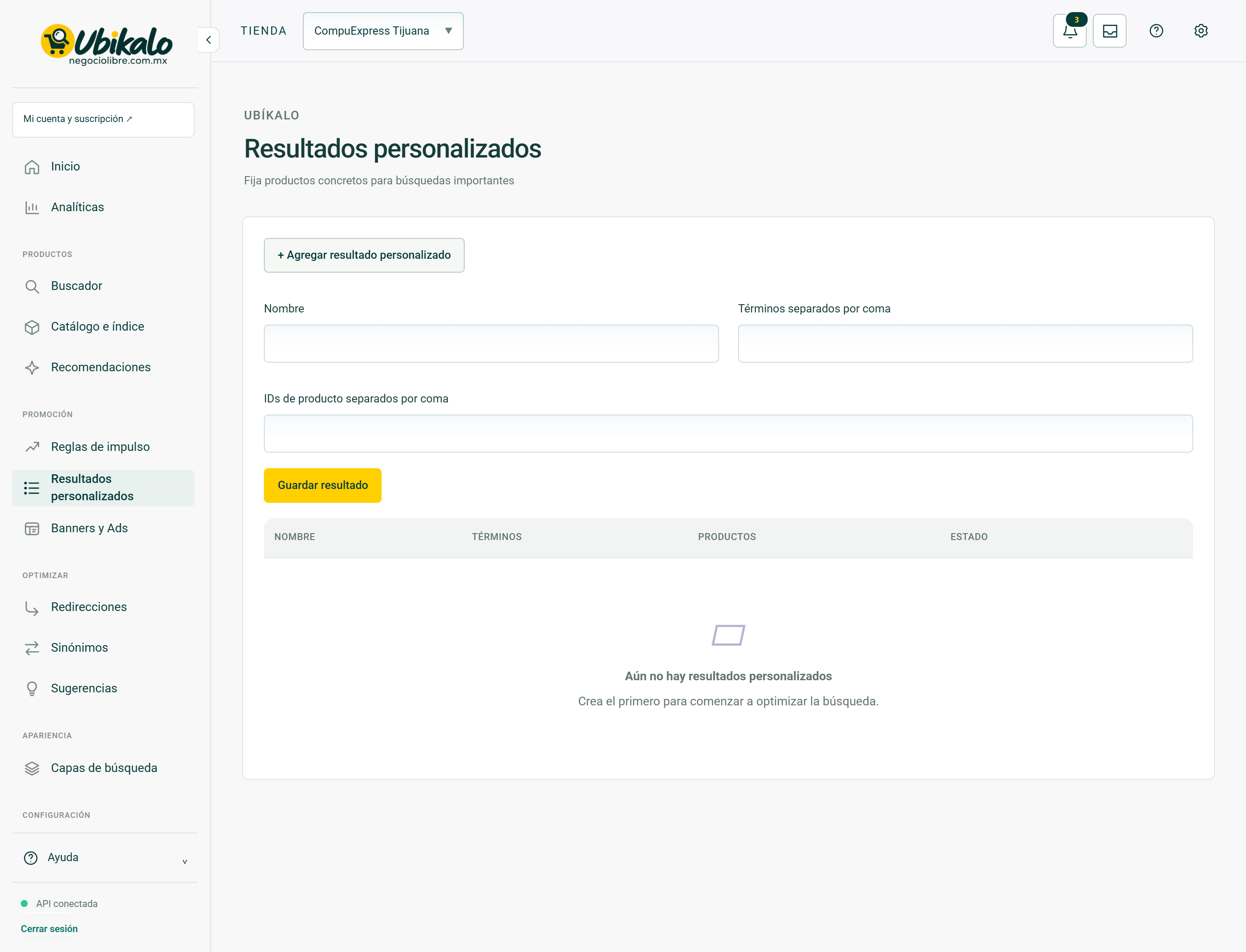
| Control | How to use | Effect |
|---|---|---|
| 1Select storeselect | Change the store or active site. Check this selector before saving, importing, or syncing. | data entryLocated in the actual interface |
| 2Notifications: 3 unreadbutton | Opens account context notices and its unread counter. A historical warning does not confirm a current failure. | ReadingLocated in the actual interface |
| 3inboxbutton | Open the account’s messages and notifications inbox. | NavigationLocated in the actual interface |
| 4MY ACCOUNT ↗to | Open account, sites or subscription management; It is not the editor of the search engine. | NavigationLocated in the actual interface |
| 5Activate dark modebutton | Toggle the visual theme and retain the browser preference. It does not modify content or commercial data. | Local preferenceLocated in the actual interface |
| 6Open administration panelto | Open global administration; requires explicit permission from NegocioLibre. | Browsing with permissionLocated in the actual interface |
| 7+ Add custom resultsummary | Open or close the “+ Add custom result” information or form. Does not send your data. | DropdownLocated in the actual interface |
| 8Namefield | Name that identifies this registry or business. In rules and campaigns it is an administrative reference; in business data identifies the company. | data entryLocated in the actual interface |
| 9Terms separated by commafield | Queries that activate this setting, separated by commas when indicated by the form. | data entryLocated in the actual interface |
| 10Comma separated product IDsfield | Existing product identifiers separated by commas. Do not enter the business name if the field asks for ID. | data entryLocated in the actual interface |
| 11Save resultbutton | Submit the form fields in this section. Review the data and context before confirming. A validation error requires correcting the fields; a conflict notice requires reloading. | Persistent changeLocated; not run in production |
Steps
- Select the correct store or site in the header.
- Locate the control by its label in the capture and in the table.
- Check if its effect is read, local selection or persistent change before using it.
Before changing data
Check permissions and context. A snapshot documents the observed interface, it does not guarantee that all states, plans or integrations have the same controls. Hidden fields protect real data; They are not example information.
After using a control
In a save, review the confirmation and consult the data again. In a sync, it checks for completion and a sample of the result. Don’t interpret opening a form or copying code as a completed post.
How to verify it worked
The control produces the documented effect and preserves the correct context data and constraints.