Dashboard map · screens and controls
Find the screen you are using and see each control with real screenshots.
Reviewed October 23, 2026 · Customer guide
Actual navigation, tabs and forms displayed; captures with hidden private data. The explanation does not imply having carried out a destructive operation or a charge. Account, contracting and global administration are not yet part of this dashboard inventory.
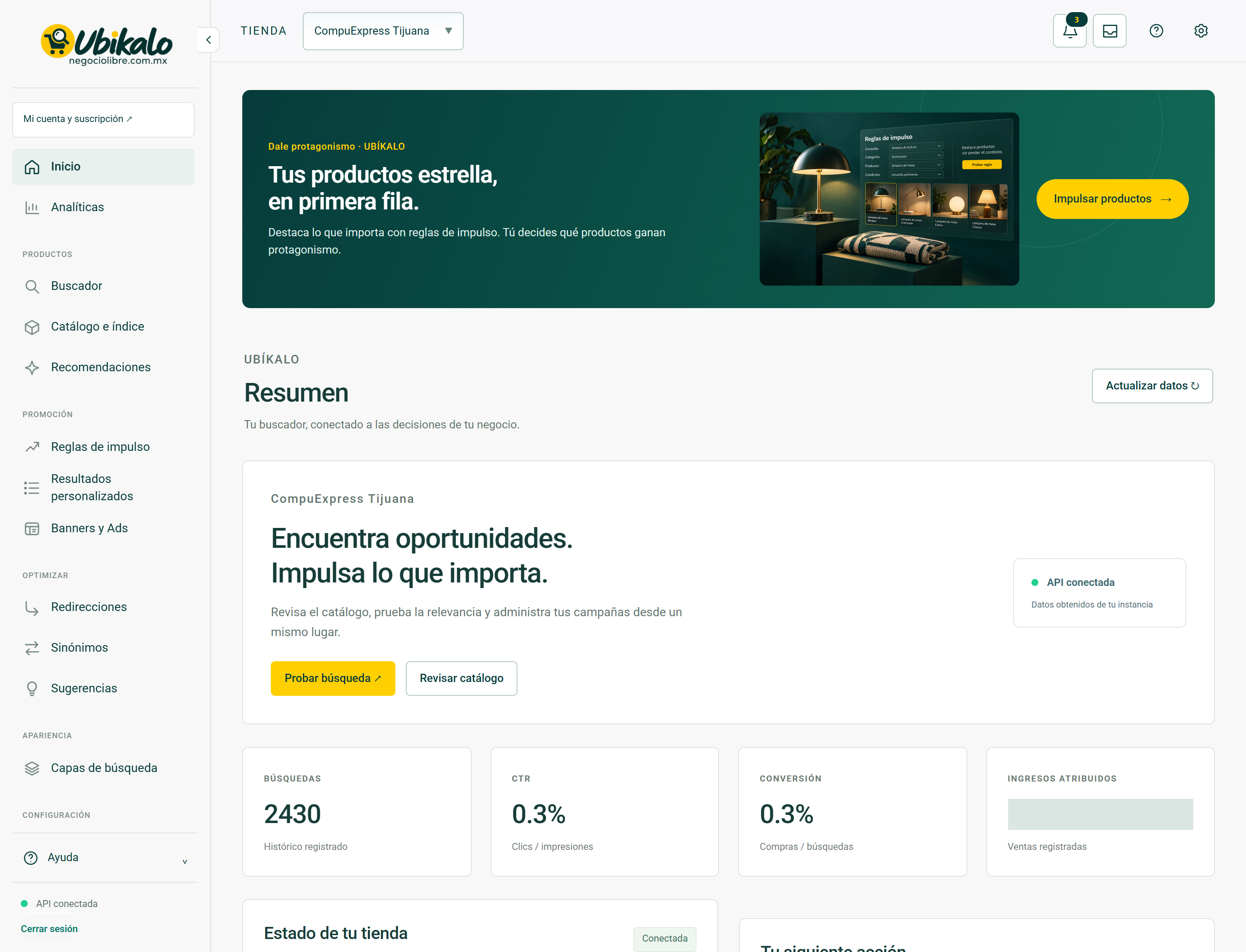
Home
Actual screenshot and explanation of 13 controls seen in the main view.
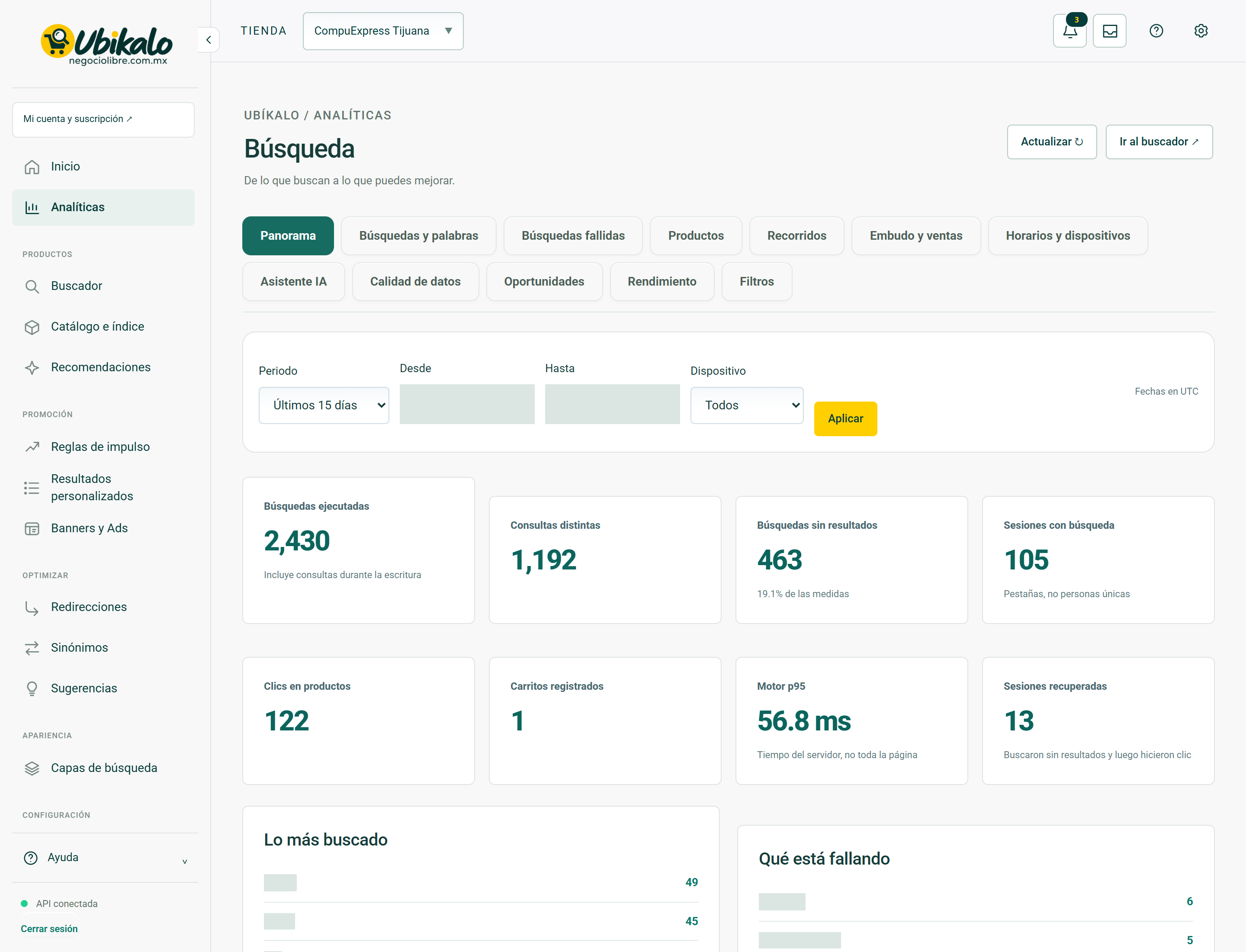
System screenAnalytics
Actual screenshot and explanation of 25 controls seen in the main view.
System screenSearch engine
Actual screenshot and explanation of 9 controls seen in the main view.
System screenCatalog and index
Actual screenshot and explanation of 10 controls seen in the main view.
System screenRecommendations
Actual screenshot and explanation of 24 controls seen in the main view.
System screenBoosting rules
Actual screenshot and explanation of 7 controls seen in the main view.
System screenCustom results
Actual screenshot and explanation of 7 controls seen in the main view.
System screenBanners and Ads
Actual screenshot and explanation of 7 controls seen in the main view.
System screenRedirects
Actual screenshot and explanation of 7 controls seen in the main view.
System screenSynonyms
Actual screenshot and explanation of 10 controls seen in the main view.
System screenSuggestions
Actual screenshot and explanation of 11 controls seen in the main view.
System screenSearch layers
Actual screenshot and explanation of 15 controls seen in the main view.
System screenSettings
Actual screenshot and explanation of 21 controls seen in the main view.
System screenAccount and security
Actual screenshot and explanation of 8 controls seen in the main view.
Steps
- Select a screen on the map.
- Check out the screenshots and drop-down tabs in your guide.
- Please review the effect and precautions before saving or publishing.
How this guide was obtained
The authenticated dashboard of the product was navigated through reading navigation. The forms were deployed to inventory their controls. The original screenshots were preserved and the published ones hide fields and conversations for privacy.
What is missing in inventory
This map covers the dashboard screens and their observed tabs. It does not certify all statuses of each plan, nor the independent areas of account, purchasing and global administration. Write tests should be run in an isolated environment, never on customer data just to produce documentation.
How to verify it worked
You can locate the label of an actual control and understand whether it queries, changes a local selection, or persists data.
Real screens to guide you
These screenshots document system views with private fields hidden. In access and troubleshooting guides, they show the context you should be able to review after recovering your session; they do not show a simulated error or a sign-in form.
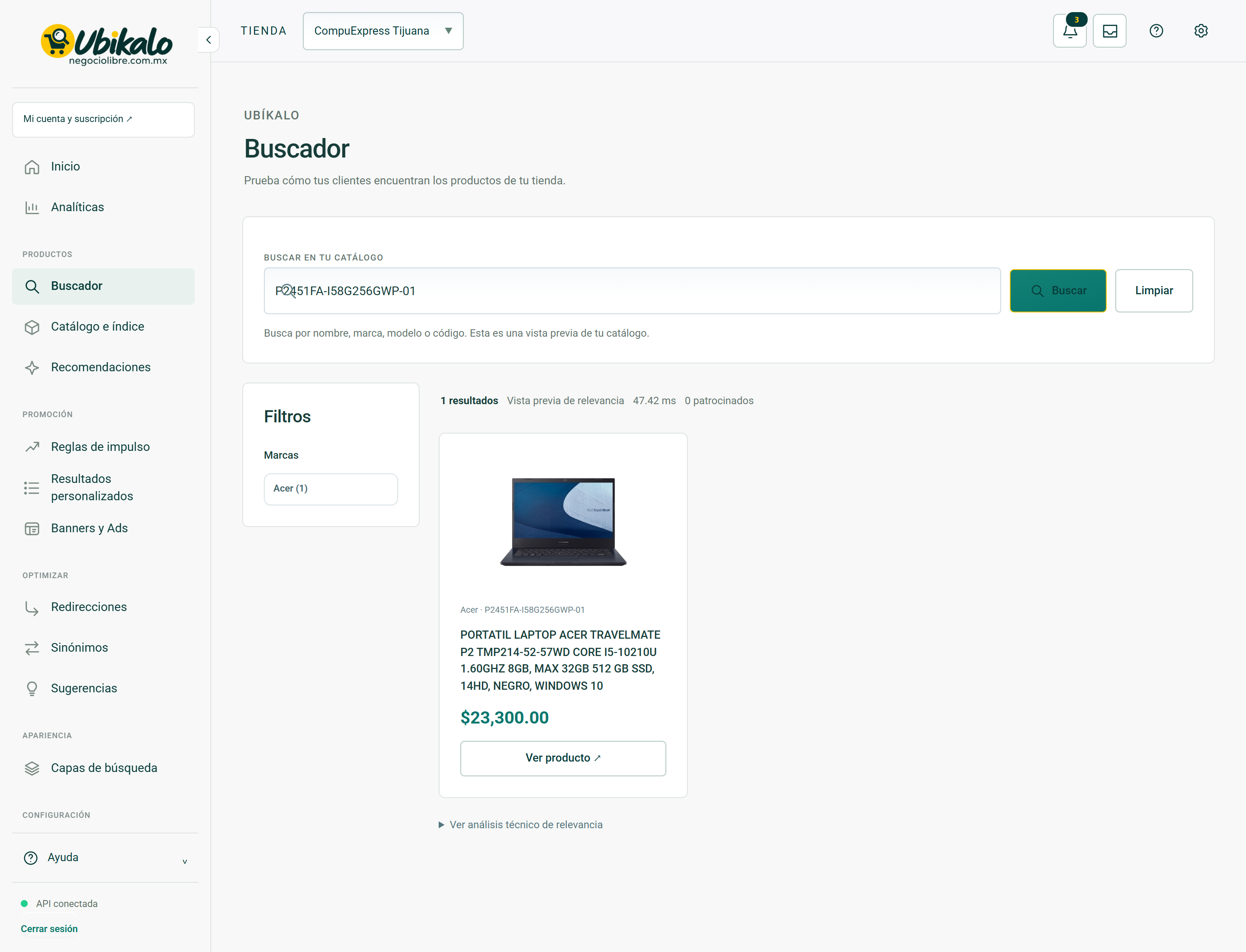
Consult Search Engine controls →